

Anúncios
Master Video Editing in Simple Steps
A edição de vídeo se tornou uma das habilidades mais requisitadas no cenário digital atual. Seja para criar conteúdo para redes sociais, construir um canal no YouTube ou simplesmente preservar memórias de família em um formato profissional, aprender a editar vídeos não precisa ser complicado ou intimidante. 🎬
Start Learning Now
A boa notícia é que as ferramentas modernas de edição de vídeo evoluíram tremendamente, tornando o que antes exigia equipamentos caros e anos de treinamento acessível a qualquer pessoa com um computador e vontade de aprender. Este guia completo irá orientá-lo em tudo o que você precisa saber para começar a editar vídeos com confiança e criatividade.
Por que as habilidades de edição de vídeo são mais importantes do que nunca.
Vivemos em um mundo visual onde o conteúdo em vídeo domina todas as plataformas. Do TikTok ao Instagram Reels, do YouTube ao LinkedIn, o vídeo se tornou o meio preferido para comunicação, educação e entretenimento. Entender como criar conteúdo em vídeo envolvente oferece uma vantagem significativa, seja para construir uma marca pessoal, promover um negócio ou simplesmente expressar sua criatividade.
A demanda por criadores de conteúdo em vídeo continua a crescer exponencialmente. Empresas precisam de vídeos promocionais, educadores necessitam de conteúdo didático envolvente e influenciadores dependem de edições atraentes para se destacarem. Ao dominar a edição de vídeo, você não está apenas aprendendo um hobby — está adquirindo uma habilidade valiosa que pode abrir portas para oportunidades de trabalho freelance, crescimento na carreira ou até mesmo uma mudança completa de carreira. 💼
Como escolher seu primeiro software de edição de vídeo
O primeiro passo na sua jornada de edição de vídeo é escolher o software certo. A boa notícia é que você tem diversas opções excelentes, desde soluções totalmente gratuitas até soluções profissionais pagas. Sua escolha deve depender do seu nível de habilidade atual, orçamento e uso pretendido.
Opções gratuitas que fazem a diferença
Não deixe que ninguém o convença de que precisa de software caro para criar vídeos de qualidade. Diversas plataformas gratuitas oferecem recursos robustos, perfeitos para iniciantes:
- DaVinci Resolve: Este software de nível profissional oferece uma versão gratuita com quase todos os recursos da versão paga. É amplamente utilizado em produções de Hollywood e fornece ferramentas incríveis de correção de cores.
- iMovie: Se você usa um Mac ou um dispositivo iOS, o iMovie já vem pré-instalado e oferece uma interface intuitiva, perfeita para iniciantes.
- Shotcut: Uma opção totalmente de código aberto que funciona no Windows, Mac e Linux, oferecendo uma ampla gama de recursos sem marcas d’água.
- CapCut: Originally designed for mobile devices, CapCut now offers a desktop version with AI-powered features that simplify complex editing tasks.
Paid Software Worth Considering
As your skills advance, you might consider investing in premium software that offers advanced features and industry-standard tools:
- Adobe Premiere Pro: The industry standard used by professionals worldwide, offering seamless integration with other Adobe products.
- Final Cut Pro: Apple’s professional editing solution, known for its speed and magnetic timeline.
- Filmora: A budget-friendly option that balances simplicity with powerful features, perfect for intermediate users.
Understanding the Video Editing Interface
Most video editing software shares common elements that, once understood, make switching between programs much easier. Familiarizing yourself with these core components will dramatically reduce your learning curve. 🖥️
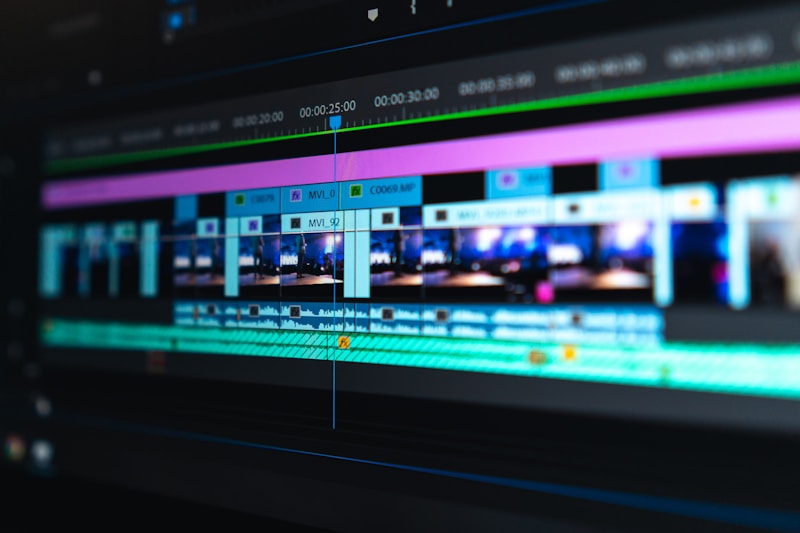
The timeline is where all the magic happens. This horizontal workspace displays your video clips, audio tracks, transitions, and effects in chronological order. Think of it as your creative canvas where you arrange and manipulate all your media elements.
The preview window shows you what your final video will look like. This is where you’ll watch your edits in real-time, checking for smooth transitions, proper timing, and overall flow.
Your media library or project panel stores all the raw materials you’ll use—video clips, audio files, images, and graphics. Keeping this organized from the start will save you countless hours of searching through files.
Essential Video Editing Techniques Every Beginner Should Master
Once you’ve chosen your software and understand the interface, it’s time to dive into the fundamental techniques that form the foundation of video editing.
The Art of Cutting and Trimming
The most basic yet crucial skill is knowing how to cut and trim your footage. This involves removing unwanted sections, eliminating mistakes, and keeping only the best moments. The secret to good editing is being ruthless—if a clip doesn’t serve your story or add value, remove it. Your audience will appreciate tighter, more engaging content over lengthy, drawn-out videos. ✂️
Start by watching all your footage and making mental or written notes about the best sections. Then, use the razor tool or split function to cut your clips at the desired points. Don’t worry about perfection on your first pass—editing is an iterative process.
Creating Smooth Transitions
Transitions are the bridges between your clips. While simple cuts work perfectly for most situations, knowing when and how to use other transitions adds polish to your videos. The most common transitions include:
- Cut: The most straightforward transition where one clip immediately follows another. This is your default choice for 90% of situations.
- Fade: Gradually transitions from one clip to another, perfect for indicating passage of time or changing scenes.
- Cross Dissolve: One clip gradually replaces another, creating a smooth, professional look.
- Wipe: One clip pushes another off screen. Use sparingly, as it can look dated if overused.
The golden rule with transitions is restraint. Overusing flashy transitions makes your video look amateurish. When in doubt, stick with simple cuts.
Working with Audio Like a Pro
Good audio can make average video footage shine, while poor audio can ruin even the most beautiful visuals. Audio editing deserves just as much attention as your visual work. 🎵
Start by adjusting audio levels to ensure consistency throughout your video. Background music should typically sit between -20dB and -15dB, while dialogue should peak around -6dB to -3dB. Most editing software includes visual meters to help you achieve proper balance.
Learn to use keyframes to fade audio in and out smoothly. Abrupt audio starts and stops are jarring to viewers and immediately signal amateur work. A simple one-second fade at the beginning and end of audio clips makes a tremendous difference.
Don’t forget about ambient sound and room tone. Silence isn’t truly silent in video—there’s always background noise. Maintaining consistent ambient sound between cuts prevents awkward dead air that alerts viewers to your edits.
Color Correction and Grading Fundamentals
Color work separates decent videos from truly professional-looking content. This process involves two distinct stages: correction and grading.
Color correction fixes technical issues with your footage, ensuring accurate colors and proper exposure. This includes adjusting white balance, exposure, contrast, and saturation to make your footage look natural and consistent across all clips.
Color grading comes after correction and involves creating a specific mood or aesthetic. This is where you develop your visual style—warm and inviting, cool and corporate, or dramatic and cinematic. 🎨
Most beginners should focus primarily on correction before experimenting with creative grading. Ensure your whites actually look white, skin tones appear natural, and the overall exposure is consistent throughout your project.
Adding Text and Graphics Effectively
Text overlays, titles, and graphics enhance your videos by reinforcing key information, guiding viewer attention, and adding professional polish. However, they require careful consideration to avoid cluttering your visuals.
Keep text simple and legible. Use sans-serif fonts for on-screen text, as they’re easier to read at smaller sizes. Ensure sufficient contrast between your text and background—white text with a subtle black shadow works in almost every situation.
Follow the rule of thirds when positioning text, avoiding the very center of the frame unless you’re creating a title card. Leave text on screen long enough to read aloud twice, ensuring even quick readers and slower readers can absorb the information.
Exporting Your Finished Video
After hours of careful editing, proper export settings ensure your hard work looks great on your intended platform. Different platforms have different optimal settings, so understanding export basics prevents quality loss and file size issues. 📤
For most purposes, H.264 codec with MP4 container offers the best balance of quality and file size. Resolution should match your shooting format—if you filmed in 1080p, export in 1080p. Frame rate should also match your source footage, typically 24fps for a cinematic look or 30fps for standard video.
For YouTube and most social media platforms, a bitrate between 8-12 Mbps for 1080p video provides excellent quality without unnecessarily large file sizes. Always export using the platform-specific presets if your software offers them.
Developing Your Unique Editing Style
As you grow more comfortable with technical skills, you’ll naturally begin developing your own editing style. This personal touch is what transforms you from someone who knows how to use editing software into a true video creator.
Watch videos you admire and analyze what makes them effective. Pay attention to pacing—how quickly cuts happen, when the editor lingers on a shot, and how rhythm changes throughout the video. Notice music choices, transition styles, and how graphics are integrated. 🎬
Experiment without fear of failure. Try different approaches, even if they don’t work out. Some of your best creative discoveries will come from happy accidents and bold experiments. Save multiple versions as you work so you can easily revert if an experiment doesn’t pan out.
Common Beginner Mistakes to Avoid
Learning from others’ mistakes saves you time and frustration. Here are pitfalls that trip up most new editors:
Over-editing ranks as the number one beginner mistake. Adding every transition, effect, and filter you’ve discovered makes your video look cluttered and amateurish. Remember that restraint and purpose should guide every editing decision.
Ignoring audio quality is another critical error. Viewers will tolerate less-than-perfect video quality, but poor audio drives them away immediately. Invest time in cleaning up audio, removing background noise, and ensuring consistent levels.
Not organizing project files seems minor until you’re searching through hundreds of clips looking for that one perfect shot. Create a logical folder structure from day one and maintain it throughout your project.
Forgetting to save and backup your work regularly can lead to heartbreaking losses. Enable auto-save in your software and maintain backup copies of important projects. Consider using cloud storage for additional security.
Keyboard Shortcuts That Save Hours
Professional editors rarely touch their mouse, relying instead on keyboard shortcuts to dramatically speed up their workflow. Learning even a handful of shortcuts will noticeably improve your efficiency. ⌨️
Every program uses slightly different shortcuts, but most share common commands. The spacebar typically plays and pauses your timeline. The I and O keys set in and out points for your clips. J, K, and L control playback speed (backwards, pause, and forwards). Learning these five shortcuts alone will make you significantly faster.
Most software allows you to customize shortcuts to match your preferences. Take time to set up a comfortable workflow, especially for actions you perform repeatedly.
Continuous Learning and Improvement
Video editing is a journey, not a destination. Technology constantly evolves, bringing new tools, techniques, and creative possibilities. The most successful editors maintain a learning mindset, always seeking to improve their craft.
YouTube offers countless free tutorials covering everything from basic techniques to advanced effects. Follow professional editors on social media to see their processes and learn from their expertise. Join online communities where you can share your work, receive constructive feedback, and help others on their editing journeys.
Challenge yourself with personal projects that push your abilities. Recreate effects you’ve seen in professional videos, experiment with new genres, or participate in editing challenges that force you to work within constraints. 🚀
Turning Your Skills Into Opportunities
Once you’ve developed solid editing skills, numerous opportunities await. Freelance platforms like Upwork, Fiverr, and Freelancer constantly need video editors for projects ranging from simple social media clips to comprehensive corporate videos.
Consider creating a portfolio website showcasing your best work. Include diverse examples that demonstrate your range—different styles, purposes, and techniques. Client testimonials and case studies add credibility and help potential clients understand the value you provide.
Local businesses often need video content but don’t know where to find editors. Reach out to restaurants, real estate agents, fitness centers, and retailers in your area offering your services. Starting with competitive rates helps you build experience and references that justify higher prices later.

Your Video Editing Journey Starts Now
Aprender a editar vídeos é uma das habilidades criativas mais gratificantes que você pode desenvolver no mundo digital de hoje. O que parece complicado no início rapidamente se torna intuitivo com prática e paciência. Lembre-se de que todo editor profissional já esteve exatamente onde você está agora — olhando para uma linha do tempo em branco, sem saber por onde começar. 🌟
Comece devagar, celebre seu progresso e não compare seu início com o meio do caminho de outra pessoa. Baixe softwares gratuitos, importe algumas filmagens e comece a experimentar. As habilidades técnicas virão com a prática, mas sua voz criativa única — isso é algo que só você pode desenvolver.
Os vídeos que você criará daqui a seis meses irão surpreendê-lo quando você olhar para trás e comparar com o trabalho de hoje. Mas você não chegará a esse ponto sem dar o primeiro passo. Sua jornada na edição de vídeo começa com um único corte, uma única transição, um único projeto. A única pergunta que resta é: qual história você contará primeiro?
