
Anúncios
Feeling ignored on WhatsApp? Discovering who blocked or removed you from their contact list can be frustrating, but there are reliable methods to find out the truth.
Understanding WhatsApp Blocking Mechanisms
Learn More About WhatsApp
WhatsApp has become an essential communication tool for billions worldwide. However, the platform’s privacy features sometimes leave users wondering about their connection status with others. When someone stops responding or their profile seems different, questions naturally arise.
The app intentionally maintains user privacy by not sending explicit notifications when someone blocks you. This design choice protects users from uncomfortable confrontations, but it also creates uncertainty for those who suspect they’ve been cut off from someone’s contact list.
🔍 Key Signs Someone Has Blocked You on WhatsApp
Several telltale indicators can reveal whether you’ve been blocked on WhatsApp. Understanding these signs helps you determine your status without directly confronting the person. The platform provides subtle clues that, when combined, paint a clear picture of your situation.
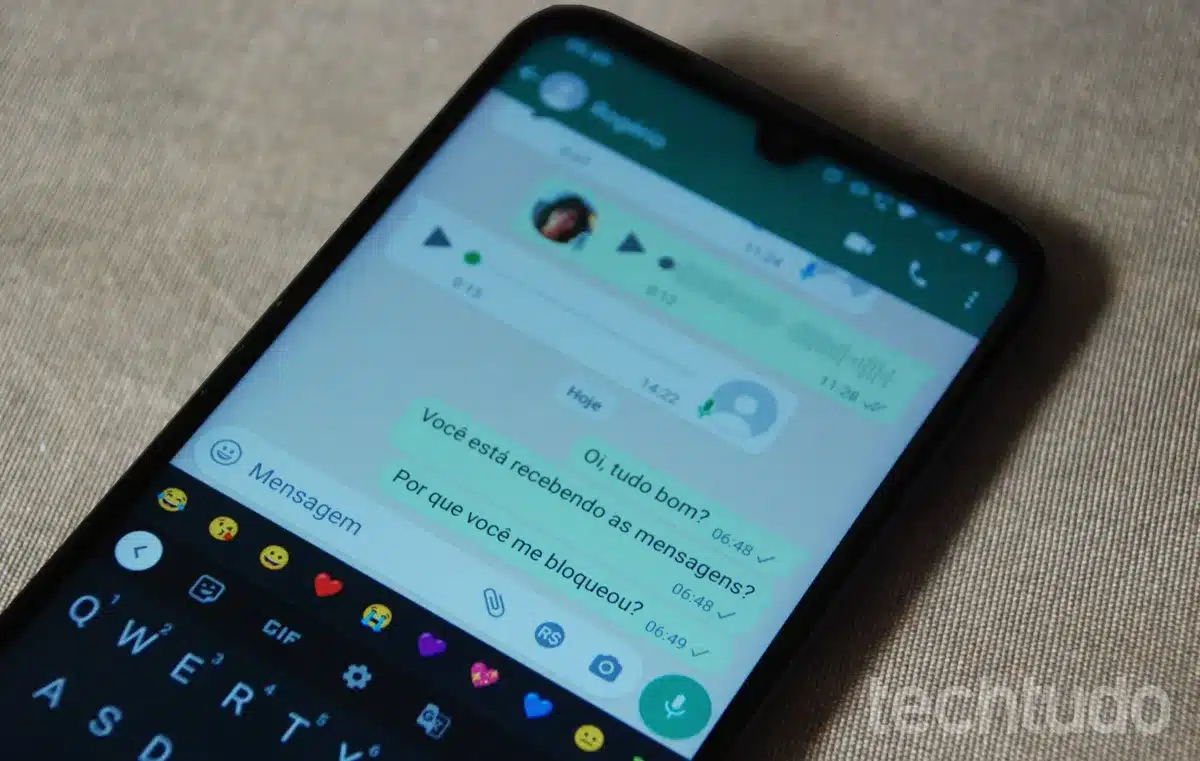
The most obvious sign involves checking the contact’s profile picture. When someone blocks you, their profile photo disappears from your view, replaced by a default grey silhouette. However, this alone isn’t conclusive evidence, as users can also remove their profile pictures entirely or adjust privacy settings to hide them from specific contacts.
📱 Profile Picture and Status Updates
Profile visibility changes significantly when blocking occurs. If you previously saw someone’s profile picture and status updates regularly, but now they’ve completely vanished, blocking might be the reason. The person’s “About” section will also become invisible to you.
Additionally, you won’t see any updates to their status stories. WhatsApp status updates appear only to contacts who haven’t been blocked. If you’re blocked, it’s as if the person has stopped posting altogether, even though they may be actively sharing content with others.
✉️ Message Delivery Indicators
Message checkmarks provide crucial information about delivery status. Normally, WhatsApp displays two grey checkmarks when your message reaches the recipient’s phone, followed by two blue checkmarks when they read it (if read receipts are enabled).
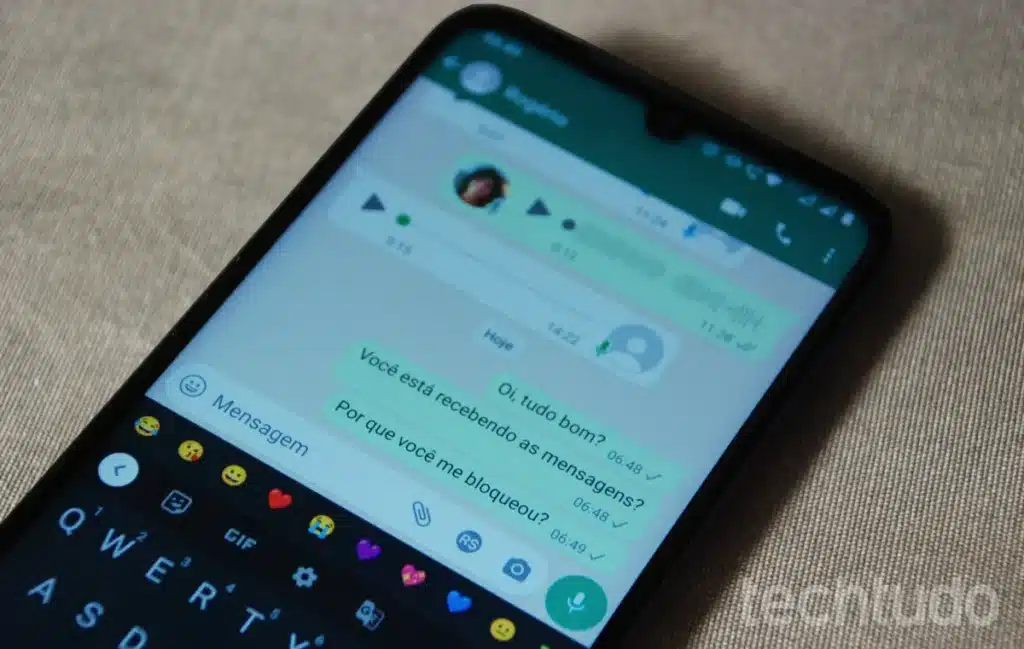
When blocked, your messages will only show a single grey checkmark indefinitely. This indicates the message was sent from your device but never delivered to the recipient’s phone. While network issues can temporarily cause similar symptoms, persistent single checkmarks across multiple messages strongly suggest blocking.
📞 Testing With Voice and Video Calls
Call attempts offer another verification method. When you try calling someone who has blocked you, WhatsApp behaves differently than with normal calls. The call will appear to connect on your end, but it won’t actually ring on the recipient’s device.
After several seconds, the call will automatically disconnect without being answered. You won’t receive a “call ended” notification from the recipient’s side because the call never reached them. Repeated failed call attempts, especially when combined with other signs, confirm blocking status.
🔔 No “Last Seen” Information
The “last seen” timestamp disappears completely when someone blocks you. This feature normally shows when a contact was last active on WhatsApp. Even users who hide their “last seen” from everyone still appear as “last seen a long time ago” to their contacts.
However, if you’re blocked, no information appears at all. The space where the timestamp normally displays remains completely empty. This absence, combined with missing profile information, strongly indicates blocking rather than privacy setting adjustments.
🔄 The Group Chat Workaround
Creating or using existing group chats provides a clever verification technique. If you and the suspected blocker are both members of the same group, you can observe their activity and profile visibility within that shared space.
In group settings, you’ll still see their profile picture, status updates, and messages even if they’ve blocked you individually. This discrepancy between individual and group visibility offers definitive proof of blocking. Try sending a message in the group and observing whether the person responds or acknowledges other members’ messages while ignoring yours.
👥 Adding to New Groups
Attempting to add the suspected blocker to a new group provides conclusive evidence. When someone has blocked you, WhatsApp prevents you from adding them to any group you create or administer. The app displays an error message stating you’re not authorized to add this contact.
This restriction exists because blocking is meant to completely sever communication channels between two users. The inability to include someone in group conversations confirms they’ve blocked you, as this limitation doesn’t apply to contacts who’ve simply deleted your number or changed privacy settings.
💡 Alternative Verification Methods
Several creative approaches can help confirm blocking suspicions without relying solely on WhatsApp’s built-in indicators. These methods involve using different platforms or asking mutual contacts for assistance.
One effective technique involves checking other social media platforms where you’re connected. If the person remains active on Facebook, Instagram, or Twitter but shows no WhatsApp activity toward you specifically, blocking becomes more likely. Cross-platform communication patterns reveal whether someone is avoiding you personally or simply taking a break from messaging apps generally.
🤝 Asking Mutual Friends
Reaching out to mutual contacts provides valuable perspective. If trusted friends still see the person’s profile picture, status updates, and “last seen” information while you don’t, this confirms blocking rather than account deletion or privacy adjustments affecting everyone.
However, approach this method tactfully. Avoid creating drama or putting mutual friends in uncomfortable positions. Simply ask if they’ve heard from the person recently or if they’ve noticed any changes to their WhatsApp activity. Their responses can clarify whether you’re specifically blocked or if the person has made broader privacy changes.
⚠️ Situations That Mimic Blocking
Several scenarios create symptoms similar to blocking without actual blocking occurring. Understanding these situations prevents false conclusions and unnecessary worry about your relationships.
Network connectivity issues can temporarily prevent message delivery, showing single grey checkmarks until the connection stabilizes. If someone’s phone is turned off, disconnected from the internet, or experiencing signal problems, your messages won’t deliver immediately, creating blocking-like symptoms.
🔐 Privacy Settings Adjustments
WhatsApp offers granular privacy controls allowing users to hide profile pictures, status updates, and “last seen” information from specific contacts or everyone except favorites. Someone might restrict what you see without blocking you entirely.
These privacy adjustments don’t affect message delivery—your messages will still show two grey checkmarks when delivered and blue checkmarks when read (if the recipient hasn’t disabled read receipts). This distinction helps differentiate between blocking and privacy setting changes.
📵 Account Deletion or Phone Changes
When someone deletes their WhatsApp account, their profile information disappears for everyone, not just specific contacts. Similarly, changing phone numbers without notifying contacts creates visibility issues that affect all previous contacts equally.
If mutual friends also report losing access to the person’s profile information and message delivery, account deletion or number changes are more likely explanations than selective blocking. In these cases, nobody can reach the person through their old WhatsApp account.
🛠️ Third-Party Apps and Services
Numerous apps and online services claim to reveal who blocked you on WhatsApp. These tools promise definitive answers about blocking status, but they come with significant risks and limitations that users should understand before trying them.
Most “WhatsApp block checker” apps don’t actually access WhatsApp’s servers or provide information that isn’t already available through manual observation. They simply automate the process of checking profile visibility, message delivery status, and “last seen” information—tasks you can perform yourself without downloading additional software.
🚫 Privacy and Security Concerns
Third-party apps requesting WhatsApp access pose serious privacy risks. Many require permissions that could expose your contact list, message history, and personal information to unknown developers. Some apps contain malware or exist solely to harvest user data for malicious purposes.
WhatsApp’s end-to-end encryption protects your communications from outsiders, but granting third-party apps access circumvents these protections. Official WhatsApp policies prohibit automated tools and unauthorized apps, and using them could result in your account being temporarily or permanently banned from the platform.
💔 Emotional Aspects of Being Blocked
Discovering you’ve been blocked can trigger various emotional responses, from confusion and hurt feelings to anger or relief depending on your relationship with the person. Understanding these reactions helps process the situation healthily.
Blocking represents a deliberate decision to cut communication, which feels more personal than simply being ignored. The finality of blocking can be painful, especially when it occurs without explanation or warning. However, it’s important to respect the other person’s boundaries and right to manage their digital communications as they see fit.
🧘 Moving Forward Positively
Rather than obsessing over who blocked you or why, focus on maintaining healthy relationships with people who value your presence in their lives. Being blocked isn’t necessarily a reflection of your worth—people block others for many reasons, including personal issues, misunderstandings, or simply needing space.
If you feel the blocking resulted from a genuine misunderstanding worth addressing, consider reaching out through alternative communication channels respectfully and briefly. However, if someone has chosen to block you, repeatedly attempting contact through other means can constitute harassment and should be avoided.
🔐 Protecting Your Own Privacy
Understanding blocking mechanisms also empowers you to manage your own WhatsApp privacy effectively. The platform offers robust tools for controlling who sees your information and who can contact you, allowing you to create comfortable boundaries.
You can adjust privacy settings for profile pictures, status updates, “last seen” information, and read receipts independently. These granular controls let you share information with trusted contacts while limiting visibility to others without completely blocking them.
⚙️ Customizing Contact Permissions
WhatsApp allows creating exceptions to general privacy rules. You can hide your profile picture from everyone except specific contacts, or share status updates only with favorites. This flexibility helps maintain privacy without the finality of blocking.
When you do need to block someone, understand that the feature works both ways—they’ll experience the same indicators you’ve learned to recognize. Use blocking thoughtfully for situations genuinely requiring complete communication cessation, not as a passive-aggressive response to minor disagreements.
📊 Statistical Perspective on WhatsApp Blocking
Research into digital communication patterns reveals interesting insights about blocking behavior. Studies suggest that most people have blocked at least one contact on messaging platforms, with reasons ranging from ending romantic relationships to avoiding spam or harassment.
| Reason for Blocking | Percentage of Users |
|---|---|
| Ending romantic relationship | 38% |
| Avoiding harassment | 29% |
| Blocking spam accounts | 24% |
| Friend or family conflict | 15% |
| Professional boundaries | 11% |
These statistics demonstrate that blocking is a common digital behavior serving various legitimate purposes. Being blocked doesn’t necessarily indicate serious wrongdoing—sometimes people simply need to establish boundaries or remove themselves from uncomfortable situations.
🌐 Cultural Differences in Blocking Behavior
Blocking practices vary significantly across cultures and age groups. Younger users generally block and unblock contacts more frequently and casually than older generations, viewing it as a normal aspect of digital relationship management rather than a dramatic gesture.
In some cultures, direct confrontation is avoided, making blocking a preferred method for ending relationships or establishing distance. Other cultures value explicit communication, where blocking might occur only after clear verbal exchanges. Understanding these cultural contexts prevents over-interpreting being blocked according to your personal cultural framework.
✨ Final Thoughts on Digital Boundaries
Discovering who blocked you on WhatsApp involves observing multiple indicators rather than relying on any single sign. The combination of missing profile information, perpetual single-checkmark messages, failed call attempts, and inability to add someone to groups provides conclusive evidence of blocking.
However, the more important question isn’t whether you’ve been blocked, but how to respond constructively. Respect others’ decisions to manage their digital communications according to their comfort levels. Focus your energy on nurturing relationships with people who reciprocate your communication efforts rather than fixating on those who’ve chosen distance.
WhatsApp’s privacy features exist to empower users with control over their digital experiences. Whether you’re determining if someone blocked you or managing your own contact list, these tools serve the essential purpose of creating comfortable, safe communication spaces in our increasingly connected world.
