
Anúncios
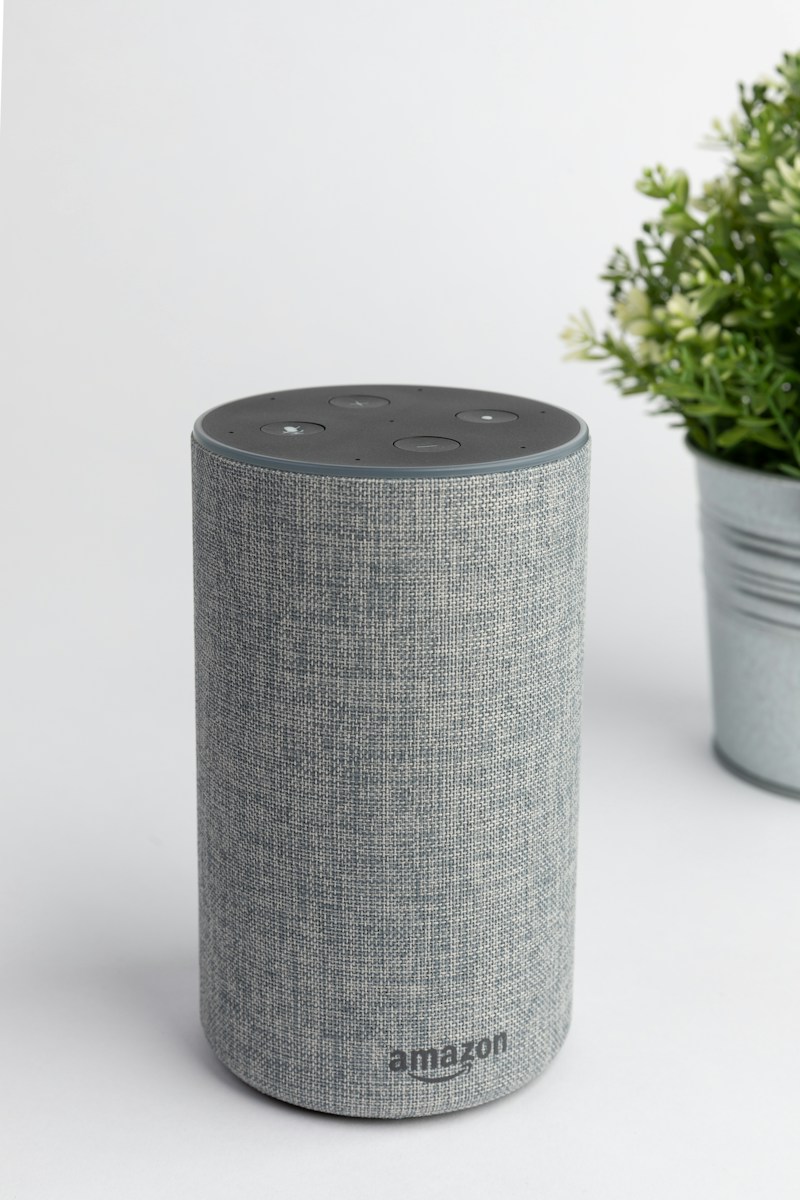
Amazon Alexa has evolved into one of the most sophisticated voice assistants available, yet most users barely scratch the surface of what this powerful AI can actually do for them.
Unlocking Alexa’s Hidden Potential
Explore Official Features
Think about your typical interaction with Alexa. You probably ask for the weather, set timers, or play music. While these are useful functions, they represent just a fraction of what this voice assistant can accomplish. The reality is that Alexa houses hundreds of skills, automation capabilities, and integrations that remain dormant in most households.
The gap between Alexa’s potential and actual usage isn’t due to complexity—it’s simply a matter of awareness. Most people never explore beyond the basic features because they don’t know what else exists. This article will open your eyes to the advanced functionalities that can transform Alexa from a simple voice assistant into a comprehensive smart home manager, personal assistant, and entertainment hub. 🎯
Beyond Basic Commands: Skills That Change Everything
The Alexa Skills Store contains over 100,000 third-party skills, yet the average user has enabled fewer than five. This massive library includes everything from meditation guides to advanced home security systems. Skills are essentially apps for your Alexa device, dramatically expanding what it can do.
Finding valuable skills requires some exploration. Navigate to the Skills section in your Alexa app and browse categories that align with your interests. Productivity skills can help you manage to-do lists with services like Todoist or Any.do. Health and fitness skills offer guided workouts, sleep sounds, and nutritional advice. Even niche interests like bird identification or astronomy have dedicated skills.
The key is activating skills that serve your specific lifestyle. A commuter might benefit from traffic update skills, while a parent could use bedtime story skills. Many users don’t realize these capabilities exist because they’ve never looked beyond the default features. Simply spending 15 minutes browsing can unlock entirely new dimensions of functionality. 📱
Routines: The Game-Changing Feature You’re Ignoring
Alexa Routines represent one of the most powerful yet underutilized features available. A routine allows you to trigger multiple actions with a single command or automated event. Instead of issuing five separate commands every morning, you can create a “Good Morning” routine that handles everything at once.
Setting up your first routine takes just a few minutes through the Alexa app. Navigate to More > Routines > Create Routine. You’ll define a trigger (voice command, schedule, device action, or location) and then add multiple actions. Your morning routine might turn on lights, read your calendar, provide weather updates, start your coffee maker, and play news—all triggered by simply saying “Alexa, good morning.”
Evening routines can be equally transformative. An “I’m leaving” routine might lock smart locks, turn off lights, adjust the thermostat, and arm your security system simultaneously. A bedtime routine could dim lights gradually, play relaxing sounds, and set your alarm for the next day. The possibilities multiply when you start thinking in terms of automated sequences rather than individual commands.
Advanced users create conditional routines that respond to specific circumstances. You can trigger actions when specific devices detect motion, when smart sensors register temperature changes, or when you arrive home based on your phone’s location. This level of automation transforms Alexa from a reactive assistant into a proactive home management system. 🏠
Smart Home Integration Beyond the Basics
Most Alexa users control a few smart bulbs or perhaps a thermostat. However, the ecosystem supports thousands of smart home devices across dozens of categories. The true power emerges when you integrate multiple device types into coordinated systems.
Smart home hubs like Samsung SmartThings or Hubitat can connect hundreds of devices to Alexa, even those that don’t natively support voice control. This dramatically expands compatibility. You can control blinds, locks, garage doors, irrigation systems, pool equipment, and even pet feeders through voice commands or automated routines.
Creating device groups amplifies convenience. Instead of controlling individual lights, group all living room lights together. Then “Alexa, turn on the living room” controls everything simultaneously. You can also create groups for entire floors or outside areas. These groups work within routines, enabling sophisticated lighting scenes that change based on time of day or activity.
Sensor integration takes automation to another level. Motion sensors can trigger lights automatically. Door sensors can announce when children arrive home. Temperature sensors can adjust climate control before you even notice discomfort. Water leak sensors can send alerts through Alexa and automatically shut off main water valves. This preventive automation represents the future of smart home management. 💡
Multi-Room Audio: Your Whole-Home Sound System
If you own multiple Echo devices but use them independently, you’re missing one of Alexa’s most impressive features. Multi-room music allows synchronized audio playback across your entire home, creating a seamless listening experience as you move between rooms.
Setting this up requires creating speaker groups in the Alexa app. Go to Devices > Plus icon > Combine Speakers > Multi-room music. Select the Echo devices you want to group and name the group (like “Downstairs” or “Whole House”). Once configured, simply say “Alexa, play jazz on Downstairs” to fill multiple rooms with synchronized music.
The system works with Amazon Music, Spotify, Apple Music, and other major streaming services. You can create different groups for different areas—one for bedrooms, another for common areas, and a whole-house group for parties. During gatherings, synchronized music eliminates the awkward volume transitions that occur with independent speakers.
Advanced users leverage this for more than music. Announcements broadcast to all devices simultaneously, perfect for calling family to dinner or alerting everyone about visitors. You can also use multi-room audio for audio books, podcasts, or even ambient sounds like rain or ocean waves throughout your home. 🎵
Drop In and Communication Features for Families
Alexa’s communication capabilities extend far beyond simple phone calls. The Drop In feature essentially converts Echo devices into an intercom system, enabling instant communication between rooms or even between homes.
Drop In requires permission settings configured in the Alexa app for security. Once enabled for specific contacts or household devices, you can instantly connect by saying “Alexa, drop in on the kitchen.” The connection establishes immediately without the recipient needing to answer, making it perfect for quick household communications like telling kids dinner is ready.
Parents find particular value in using Drop In to check on children’s rooms or nurseries. It functions similarly to a baby monitor but with two-way communication. You can also use it to check on elderly relatives remotely if they’ve granted permission, providing peace of mind without intrusive monitoring.
Announcements offer a one-way broadcasting alternative. Instead of connecting to a specific device, announcements play on all Echo devices simultaneously. This works perfectly for household-wide messages without requiring two-way conversation. Combined with routines, you can automate announcements like “It’s time to leave for school” at specific times each morning. 👨👩👧👦
Whisper Mode and Follow-Up Mode: Subtle But Powerful
Two lesser-known features dramatically improve the natural interaction with Alexa. Whisper Mode allows Alexa to detect when you’re speaking quietly and respond in a whisper, perfect for late-night interactions without disturbing others.
Enable Whisper Mode in Settings > Alexa Account > Alexa Voice Responses > Whispered Responses. Once activated, simply whisper your commands and Alexa whispers back. This proves invaluable when checking the time at 3 AM, adjusting a smart light without waking a partner, or setting a reminder while a baby sleeps nearby.
Follow-Up Mode keeps Alexa listening for several seconds after completing a request, allowing you to issue multiple commands without repeating the wake word. Enable it in Settings > Device Settings > [Select Device] > Follow-Up Mode. This creates more natural conversations and significantly speeds up multiple-command interactions.
Together, these features make Alexa feel less like a robot and more like an attentive assistant. You can whisper “Alexa, what time is it?” then follow up with “Set an alarm for 7 AM” without raising your voice or repeating “Alexa.” These subtle improvements accumulate into a significantly better user experience. 🤫
Shopping and Household Management Tools
Alexa’s shopping capabilities extend far beyond simple voice ordering. Smart shopping lists, inventory tracking, and deal notifications can streamline household management in ways most users never explore.
The built-in shopping list automatically syncs with the Alexa app on your phone. Add items by voice throughout the week, then access the organized list while at the store. This eliminates forgotten items and handwritten lists. You can also create multiple lists for different stores or purposes—one for groceries, another for hardware store items, and a separate list for household tasks.
Amazon integration offers convenient reordering of frequently purchased items. Enable voice purchasing in settings, and you can reorder past purchases by saying “Alexa, reorder coffee.” For households that regularly purchase the same staples, this saves significant time and mental energy.
Deal notifications represent an underutilized feature. Enable notifications for items on your wish list, and Alexa alerts you when prices drop. You can also ask “Alexa, what are your deals?” to hear current promotions. This passive price monitoring can generate substantial savings without requiring active deal hunting. 🛒
Entertainment Capabilities Beyond Music
While music streaming dominates Alexa usage, the entertainment ecosystem includes games, audio books, podcasts, radio, and interactive experiences that many users overlook entirely.
Alexa games range from trivia and word games to immersive audio adventures. Games like “Jeopardy!” and “Song Quiz” provide family entertainment without screens. Audio adventure games like “The Magic Door” offer interactive storytelling where your choices affect the narrative. These games require no additional equipment—just your voice and imagination.
Podcast integration through services like Amazon Music or Apple Podcasts puts thousands of shows at your command. Unlike smartphone podcast apps, Alexa allows hands-free playback while cooking, exercising, or working. You can subscribe to shows, resume where you left off, and skip forward or back with simple voice commands.
Audible integration transforms Echo devices into audiobook players. If you have an Audible subscription, your entire library is accessible through voice commands. The synchronization means you can start listening on your phone during your commute and continue on your Echo when you arrive home, with your place automatically saved. 📚
Brief Mode and Customizing Alexa’s Personality
Not everyone wants lengthy responses and confirmations for simple commands. Brief Mode reduces Alexa’s verbal responses, replacing many with simple tones. Enable it in Settings > Alexa Account > Alexa Voice Responses > Brief Mode.
With Brief Mode enabled, turning on lights results in a quick chime rather than “Okay, turning on the lights.” This creates a less intrusive experience, especially in homes with frequent smart home commands. The feature particularly benefits households where multiple people use Alexa throughout the day.
Alexa’s voice can also be customized with celebrity voices (available for purchase) or different languages and accents. While not everyone wants Samuel L. Jackson responding to commands, the option exists for those seeking personality. Regional accent changes can also improve comprehension if Alexa struggles with your particular speech patterns.
Response length customization allows you to choose between brief, standard, and detailed answers for different query types. This means weather updates can be short while cooking instructions remain detailed. These adjustments make interactions feel more personalized and less robotic over time. 🎭
Privacy Features You Should Be Using
Privacy concerns rightfully accompany any always-listening device. Alexa includes multiple privacy controls that empower users to manage their data and limit recording—features many users don’t realize exist.
Voice recording deletion can be automated to occur regularly. Navigate to Settings > Alexa Privacy > Manage Your Alexa Data > Choose How Long to Save Recordings. You can select options ranging from three months to never saving recordings at all. You can also delete recordings by voice command: “Alexa, delete what I just said” or “Alexa, delete everything I said today.”
The mute button physically disconnects the microphone on Echo devices, indicated by a red light. While obvious, many users don’t realize this is a hardware disconnect rather than software control, providing genuine assurance that Alexa isn’t listening during private conversations.
Review your voice history periodically in the Alexa app under Settings > Alexa Privacy > Review Voice History. This shows exactly what Alexa recorded and allows selective deletion. Understanding what’s actually captured often alleviates privacy concerns while revealing commands that may have been misinterpreted. 🔒
Alexa Guard and Home Security Integration
Alexa Guard transforms your Echo devices into security sensors when you leave home. This free feature listens for smoke alarms, carbon monoxide alarms, and breaking glass, sending alerts to your phone if detected.
Enable Guard by saying “Alexa, I’m leaving” or through the app. While active, your Echo devices monitor for concerning sounds. If detected, you receive a notification with an audio clip, allowing you to assess the situation and contact authorities if necessary. Saying “Alexa, I’m home” deactivates Guard mode.
Guard can also integrate with smart lights, making them flash if alarms are detected—helpful if you’re home but in a different part of the house. Guard Plus, a paid subscription service, adds professional monitoring, emergency helpline access, and deterrent features like playing dog barking sounds while you’re away.
Integration with comprehensive security systems like Ring or ADT creates a unified security ecosystem manageable through voice commands. You can arm systems, check camera feeds (on Echo Show devices), and lock doors without touching your phone. This integration represents serious home security capability disguised as a voice assistant. 🚨
Location-Based Routines and Hunches
Alexa can now use your phone’s location to trigger routines automatically. An “Arriving Home” routine might unlock your door, turn on lights, and adjust the thermostat as you pull into the driveway—all without any voice command.
Setting up location-based routines requires enabling location permissions for the Alexa app on your phone. When creating a routine, select “Location” as the trigger and define your arrival or departure as the activation condition. This allows truly hands-free automation based on your actual movements.
Alexa Hunches represent artificial intelligence learning your patterns and proactively making suggestions. If you typically lock your door at 10 PM but forget one night, Alexa might ask if you’d like her to lock it. Over time, these hunches become more accurate and helpful.
Enable Hunches in Settings > Alexa Account > Hunches. Initially, Alexa will ask permission before acting on hunches. As you respond to these prompts, you can eventually allow Alexa to automatically act on certain hunches without asking, creating a more anticipatory smart home experience. 🗺️
Computer Control and Advanced Integrations
Few users realize Alexa can control computers through skills and integrations. Services like Remote Control for Computer allow voice commands to open applications, control playback, adjust volume, and even execute custom scripts on your PC or Mac.
IFTTT (If This Then That) integration dramatically expands Alexa’s capabilities by connecting to services and devices that lack native Alexa skills. You can create applets that post to social media, control smart devices from unsupported brands, send emails, or interact with hundreds of online services through voice commands.
Home Assistant and similar open-source platforms allow technically inclined users to create custom integrations limited only by imagination. These systems can bridge virtually any smart device to Alexa, create complex automation logic, and even integrate with sensors and controllers unavailable in mainstream ecosystems.
Developer tools allow you to create entirely custom skills tailored to specific needs. While this requires programming knowledge, it opens possibilities like custom business integrations, specialty home automation, or unique voice-controlled applications unavailable in the Skills Store. 💻
Accessibility Features That Help Everyone
Alexa includes numerous accessibility features designed for users with disabilities, but many prove useful for everyone. Voice control by nature eliminates the need for screens, buttons, or physical interaction, benefiting anyone with mobility limitations.
Show and Tell, available on Echo Show devices, helps visually impaired users identify products by holding them to the camera. Alexa can recognize thousands of common grocery and household items, reading product names and information aloud.
Tap to Alexa provides a visual interface for users who have difficulty speaking clearly. Large customizable buttons on Echo Show devices trigger common commands without requiring voice activation. This benefits not only users with speech difficulties but also situations where voice commands are impractical.
Call translation features and real-time transcription help users with hearing impairments. Alexa can display captions of her responses on Echo Show devices, and some skills offer translation services for multilingual households. These accessibility features often provide convenience for all users, not just those with specific needs. ♿

Maximizing Your Alexa Investment
The gap between Alexa’s potential and typical usage stems from lack of awareness rather than complexity. Most advanced features require only minutes to configure but deliver ongoing value for years. The ecosystem continues expanding, with new skills, integrations, and capabilities added regularly.
Start by identifying your specific needs—whether home security, entertainment, productivity, or convenience—then explore features addressing those needs. Spend time in the Alexa app browsing categories you’ve never explored. Enable a new skill each week to gradually build a customized assistant perfectly suited to your lifestyle.
Remember that Alexa works best as part of an ecosystem. As you add compatible smart devices, the value compounds exponentially. A single smart bulb offers basic convenience; twenty connected devices with coordinated routines transform daily living. The investment in time learning these features returns dividends in saved time, enhanced security, and improved quality of life.
The voice assistant sitting in your home contains capabilities that most manufacturers would have considered science fiction just a decade ago. You’ve already made the hardware investment—now it’s time to unlock the other 50% of what you’re paying for. 🚀
